
Note
This is a community plugin, an external project maintained by its respective author. Community plugins are not part of FiftyOne core and may change independently. Please review each plugin’s documentation and license before use.

Sample Inspector Plugin#
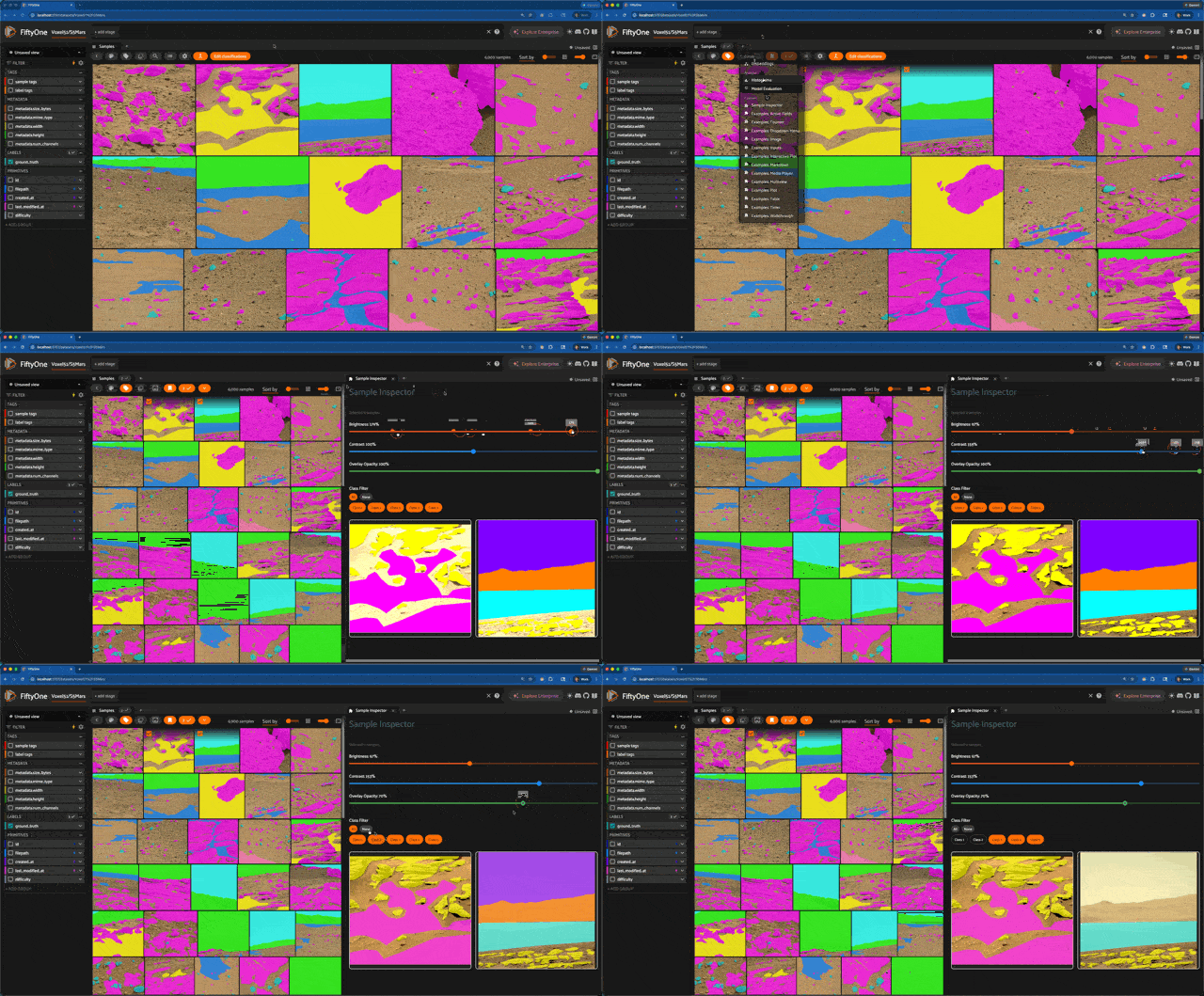
A FiftyOne panel plugin that displays selected samples in a detail view with segmentation mask overlays, image adjustment controls, and class filtering.
Select one or more samples in the grid and the panel renders them with interactive controls for inspecting segmentation masks (both semantic and instance).
Installation#
fiftyone plugins download https://github.com/allenleetc/sample-inspector
Features#
Multi-sample grid — select multiple samples and view them side by side
Semantic segmentation overlays — renders
mask_pathfields with color-coded class overlaysInstance segmentation overlays — renders
Detectionswith per-instance mask overlays positioned at bounding boxesBrightness / Contrast — adjustable sliders (0-200%)
Overlay opacity — control mask transparency (0-100%)
Class filtering — toggle individual classes on/off with chip selectors
Operators#
get_mask_targets#
An unlisted Python operator that fetches mask_targets and default_mask_targets from the dataset. Called internally by the panel to map pixel values to class labels for semantic segmentation overlays.
Usage#
Open the FiftyOne App and load a dataset with segmentation labels
Open the Sample Inspector panel from the panels menu
Select one or more samples in the grid
Use the sliders to adjust brightness, contrast, and overlay opacity
Use the class filter chips to toggle specific classes on/off
Development#
Requires a local clone of the FiftyOne repository and FIFTYONE_DIR set to its root.
yarn install
yarn build
See FiftyOne JS Plugin Build Utils for build configuration details.