
Evaluating Segmentations#
You can use the
evaluate_segmentations()
method to evaluate the predictions of a semantic segmentation model stored in a
Segmentation field of your dataset.
By default, the full segmentation masks will be evaluated at a pixel level, but you can specify other evaluation strategies such as evaluating only boundary pixels (see below for details).
Invoking
evaluate_segmentations()
returns a SegmentationResults instance that provides a variety of methods for
generating various aggregate evaluation reports about your model.
In addition, when you specify an eval_key parameter, a number of helpful
fields will be populated on each sample that you can leverage via the
FiftyOne App to interactively explore the strengths and
weaknesses of your model on individual samples.
Note
You can store mask targets for your
Segmentation fields on your dataset so that you can view semantic labels
in the App and avoid having to manually specify the set of mask targets
each time you run
evaluate_segmentations()
on a dataset.
Simple evaluation (default)#
By default,
evaluate_segmentations()
will perform pixelwise evaluation of the segmentation masks, treating each
pixel as a multiclass classification.
Here are some things to keep in mind:
If the size of a predicted mask does not match the ground truth mask, it is resized to match the ground truth.
You can specify the optional
bandwidthparameter to evaluate only along the contours of the ground truth masks. By default, the entire masks are evaluated.
You can explicitly request that this strategy be used by setting the method
parameter to "simple".
When you specify an eval_key parameter, the accuracy, precision, and recall
of each sample is recorded in top-level fields of each sample:
 Accuracy: sample.<eval_key>_accuracy
Precision: sample.<eval_key>_precision
   Recall: sample.<eval_key>_recall
Note
The mask values 0 and #000000 are treated as a background class
for the purposes of computing evaluation metrics like precision and
recall.
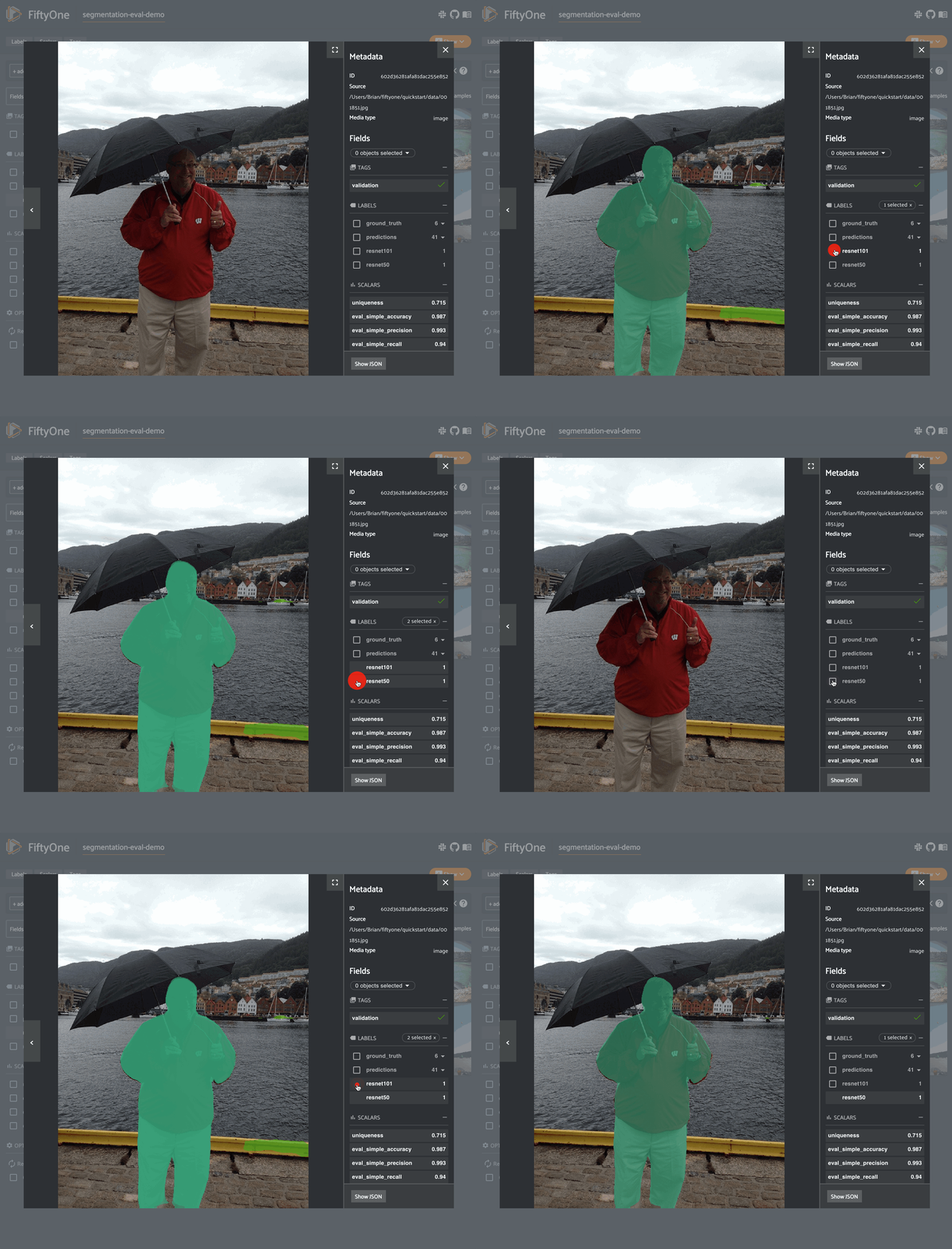
The example below demonstrates segmentation evaluation by comparing the masks generated by two DeepLabv3 models (with ResNet50 and ResNet101 backbones):
 1import fiftyone as fo
 2import fiftyone.zoo as foz
 3
 4# Load a few samples from COCO-2017
 5dataset = foz.load_zoo_dataset(
 6    "quickstart",
 7    dataset_name="segmentation-eval-demo",
 8    max_samples=10,
 9    shuffle=True,
10)
11
12# The models are trained on the VOC classes
13CLASSES = (
14    "background,aeroplane,bicycle,bird,boat,bottle,bus,car,cat,chair,cow," +
15    "diningtable,dog,horse,motorbike,person,pottedplant,sheep,sofa,train," +
16    "tvmonitor"
17)
18dataset.default_mask_targets = {
19    idx: label for idx, label in enumerate(CLASSES.split(","))
20}
21
22# Add DeepLabv3-ResNet101 predictions to dataset
23model = foz.load_zoo_model("deeplabv3-resnet101-coco-torch")
24dataset.apply_model(model, "resnet101")
25
26# Add DeepLabv3-ResNet50 predictions to dataset
27model = foz.load_zoo_model("deeplabv3-resnet50-coco-torch")
28dataset.apply_model(model, "resnet50")
29
30print(dataset)
31
32# Evaluate the masks w/ ResNet50 backbone, treating the masks w/ ResNet101
33# backbone as "ground truth"
34results = dataset.evaluate_segmentations(
35    "resnet50",
36    gt_field="resnet101",
37    eval_key="eval_simple",
38)
39
40# Get a sense for the per-sample variation in likeness
41print("Accuracy range: (%f, %f)" % dataset.bounds("eval_simple_accuracy"))
42print("Precision range: (%f, %f)" % dataset.bounds("eval_simple_precision"))
43print("Recall range: (%f, %f)" % dataset.bounds("eval_simple_recall"))
44
45# Print a classification report
46results.print_report()
47
48# Visualize results in the App
49session = fo.launch_app(dataset)
Note
The easiest way to analyze models in FiftyOne is via the Model Evaluation panel!