
Note
This is a community plugin, an external project maintained by its respective author. Community plugins are not part of FiftyOne core and may change independently. Please review each plugin’s documentation and license before use.

ROI Patches Plugin for FiftyOne#
A FiftyOne plugin that tiles images into a configurable grid of ROI (Region of Interest) patches for region-based analysis.
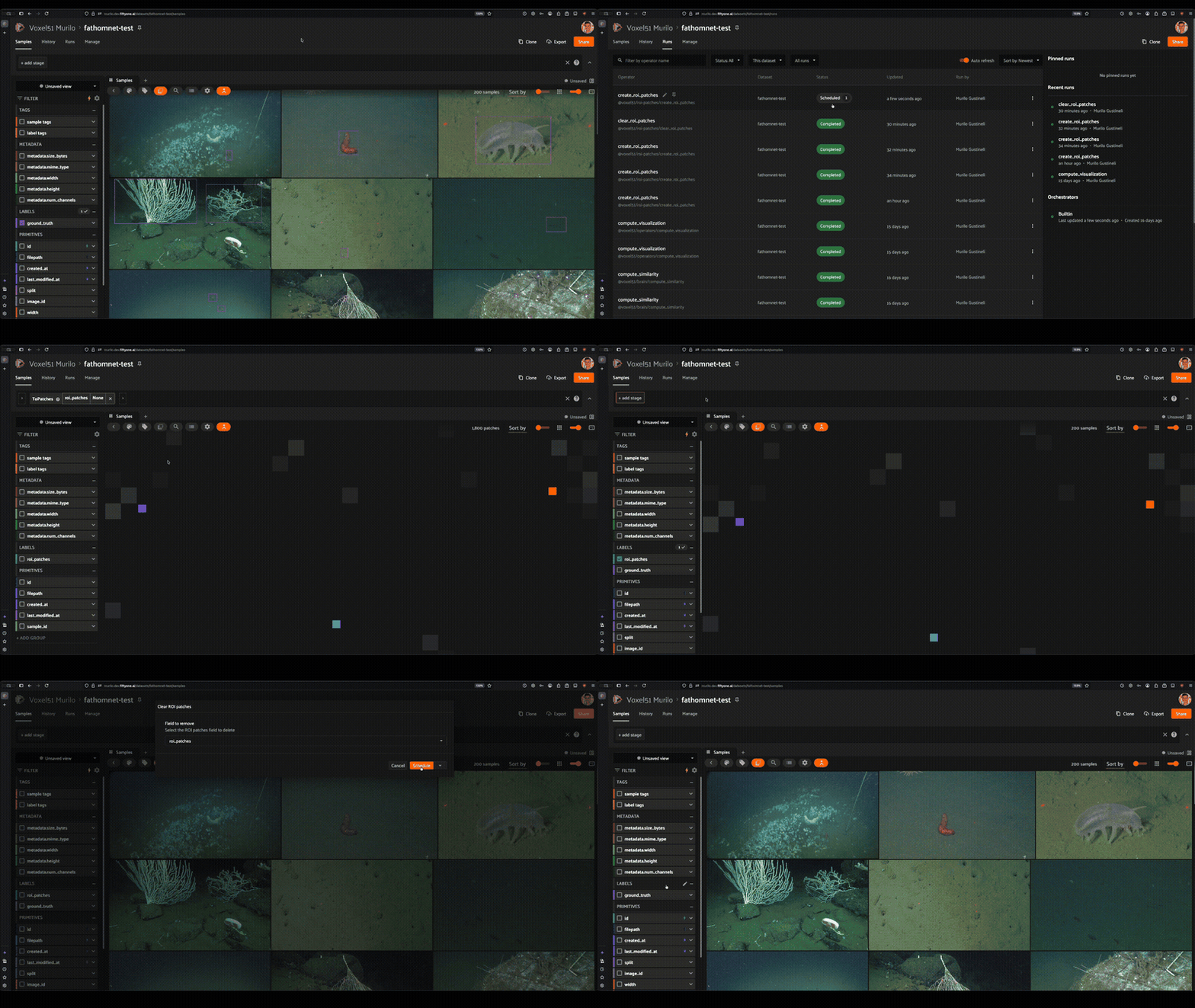
Instead of saving physical cropped files, the plugin leverages FiftyOne’s native to_patches() mechanism — it adds bounding box detections representing grid tiles to each sample. After creation, select the patches field via the Patches button to view the individual cropped tiles.
Installation#
fiftyone plugins download https://github.com/mgustineli/roi-patches-plugin
Operators#
Create ROI Patches#
Tiles images into a grid of ROI patches.
Rows / Columns — grid dimensions (1-20)
Overlap % — overlap between adjacent tiles (0-90%)
Field name — sample field to store the detections (default:
roi_patches)
Supports delegated execution (schedule on builtin) for large datasets.
Clear ROI Patches#
Removes an ROI patches field from the dataset. Select any existing Detections field from the dropdown.
Usage#
Open the FiftyOne App and load a dataset
Open the operator search and look for “Create ROI patches”
Configure the grid and click Schedule
Once complete, click the Patches button in the App toolbar and select your field to view the individual tiles
To remove patches, open the operator search and look for “Clear ROI patches”, then select the field to delete.
How It Works#
The grid math computes bounding boxes in normalized [0, 1] coordinates:
tile_w = 1 / (cols - (cols - 1) * overlap)for cols > 1, else 1.0tile_h = 1 / (rows - (rows - 1) * overlap)for rows > 1, else 1.0Each tile gets a label in
R{row}_C{col}format (e.g.,R0_C0,R2_C3)Tiles also store
row,col,overlap_pct,grid_rows, andgrid_colsas dynamic attributes