# Integrating Cosmos Transfer 2.5 for Data Scarcity
## Description of the Integration
This tutorial demonstrates how to integrate **NVIDIA Cosmos Transfer 2.5**, a state-of-the-art **world foundation model (WFM)** for Physical AI, with **FiftyOne**, an open-source tool for visual dataset exploration and model evaluation. The integration enables you to seamlessly **curate, visualize, and process multimodal datasets** (RGB, depth, segmentation, edge maps, etc.) through Cosmos Transfer’s multi-control generation capabilities, all within the FiftyOne ecosystem.
By combining Cosmos’s **autoregressive world generation** with FiftyOne’s **dataset management and visualization tools**, this workflow bridges simulation and real-world analysis. It helps developers explore augmented data, evaluate generation quality, and build robust datasets for robotics, autonomous vehicles, video analytics AI agents, and other kind of solutions we will showcase in this tutorial.
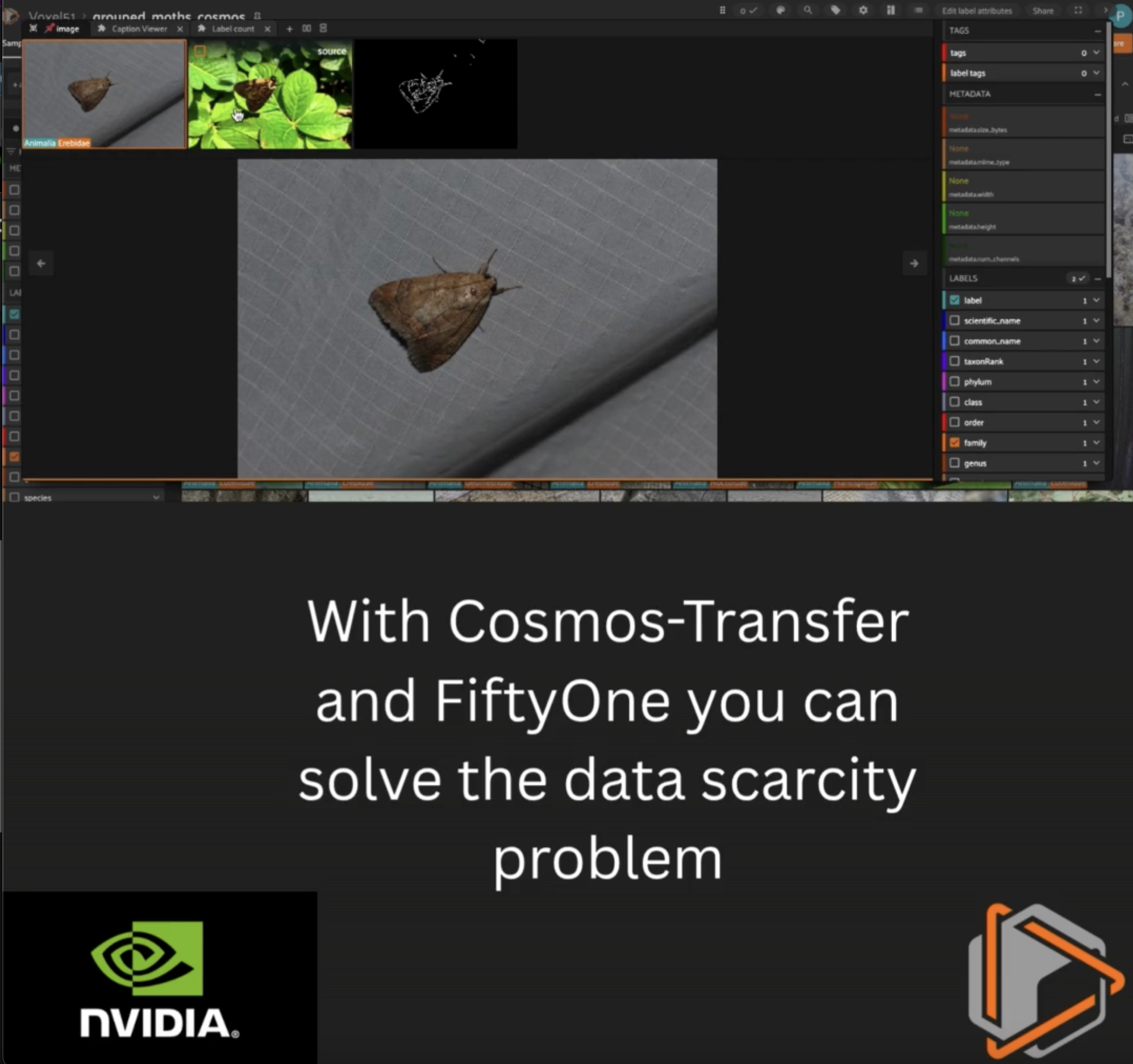
### So, what’s the takeaway?
With this integration, you can:
- Streamline **data curation and augmentation** pipelines using Cosmos-Transfer and FiftyOne.
- Automate **control map generation** and inference on large video datasets.
- **Visualize and compare** original and generated outputs side-by-side in FiftyOne.
- Prepare your datasets for **physical AI research** and **real-world deployment**.
## Setup
### 1. Install FiftyOne
You’ll need Python 3.9+ and other libraries to work with FiftyOne Brain.
```bash
pip install fiftyone umap-learn
```
### 2. Install Cosmos Transfer 2.5 and Dependencies
Clone the Cosmos Transfer 2.5 repository and install it in editable mode and follow the [Cosmos Transfer 2.5 Setup Guide](https://github.com/nvidia-cosmos/cosmos-transfer2.5/blob/main/docs/setup.md) for environment configuration and model weight downloads.
### System requirements
- NVIDIA GPUs with Ampere architecture (RTX 30 Series, A100) or newer
- NVIDIA driver >=570.124.06 compatible with CUDA 12.8.1
- Linux x86-64
- glibc>=2.35 (e.g Ubuntu >=22.04)
- Python 3.10
#### Installation
After you have your machine ready, follow these [instructions](https://github.com/nvidia-cosmos/cosmos-transfer2.5/blob/main/docs/setup.md#installation)
Ensure the following dependencies are met:
- **PyTorch ≥ 2.5**
- **TorchVision**
- **CUDA 12+** (Blackwell optimized)
- **FFmpeg** (for video conversion)
- **Gradio** (for optional interface)
- **EasyIO** (for multi-storage backend)
- **json5**, **pyrefly**, and **torch-compile** (for tokenizer optimization)
## Load Your Dataset into FiftyOne
For this tutorial, we’ll use a subset of the **BioTrove dataset**, which include samples of moths in multiple scenarios but the majority of them not in the real environments.
### Create a grouped dataset
For educational purposes we will create a slice per step in our Cosmos-Transfer integration.
## Check Dataset Format and Add Videos
Cosmos-Transfer works on **videos**.
If your dataset consists of **images**, you must convert them into short MP4 video clips before using them as inputs.
In this example, the FiftyOne dataset is downloaded from the HuggingFace Hub into the local FiftyOne directory, typically located at:
`~/fiftyone/huggingface/hub///`
Each sample image will be converted into a **1-second video** with the same filename.
---
### Convert Images to Videos (Python Version)
Instead of using a shell loop, we programmatically:
1. Locate the directory where FiftyOne stores the downloaded dataset media.
2. Create a new `videos/` directory next to the images.
3. Walk through every image in the dataset.
4. Convert each JPG into a 1-second MP4 video using FFmpeg.
This method works consistently across environments and avoids issues with shell globbing or missing directories.
Below is the Python code used in this notebook:
## Full Python Batch Pipeline
### Cosmos-Transfer 2.5 + FiftyOne Integration
The pipeline automates the complete process of dataset augmentation and model inference:
- Collect input videos from the assets directory or a custom list file.
- Generate Canny edge videos using OpenCV to serve as control maps for Cosmos-Transfer 2.5.
- Write JSON spec files defining prompts, guidance, and control paths for each video.
- Run Cosmos-Transfer inference by invoking the official examples/inference.py script through subprocess, leveraging your current Python environment.
- Extract the final frame from each output video to create a static “output last” thumbnail image.
- Attach all derived data—edge videos, generated outputs, and last-frame thumbnails—as new slices (edge, output, output_last) in your existing grouped FiftyOne dataset.
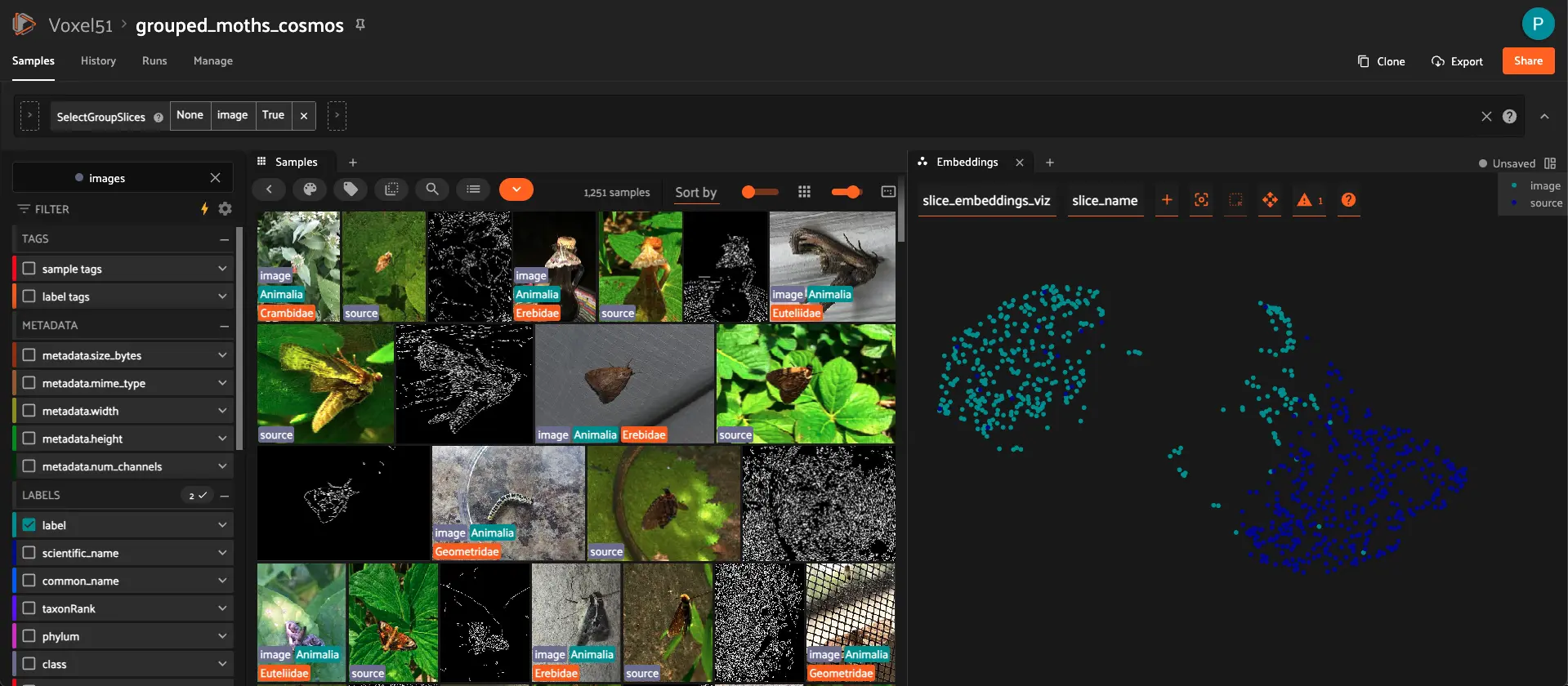
Once complete, you can open the dataset in the FiftyOne App to visually compare the original images, control maps, generated videos, and last-frame outputs side-by-side. This all-in-Python workflow provides a fully reproducible, GPU-accelerated, and data-centric way to evaluate Cosmos-Transfer 2.5 results directly within your notebook environment.
### Configuration Variables
- `images_root`: Path to the original dataset images downloaded from Hugging Face
- `base_dir`: Parent directory containing all pipeline data (`images_root.parent`)
- `ASSETS_DIR`: Directory containing input videos for processing
- `OUT_DIR`: Directory where Cosmos inference results are saved
- `SPECS_DIR`: Directory for JSON specification files used by Cosmos
- `EDGE_DIR`: Directory for Canny edge detection control videos
- `LAST_FRAMES_DIR`: Directory for extracted last frames from output videos
- `MAX_VIDS`: Maximum number of videos to process (default: 100)
- `COSMOS_DIR`: Root directory of the Cosmos repository
- `INFER_SCRIPT`: Path to the Cosmos inference script
### Inference Parameters
- `MOTH_PROMPT`: Detailed prompt describing the desired output style
- `NEG_PROMPT`: Negative prompt to avoid unwanted artifacts
- `GUIDANCE`: Guidance scale for inference (default: 7)
- `RESOLUTION`: Output resolution (default: “720”)
- `NUM_STEPS`: Number of inference steps (default: 38)
### FiftyOne Integration
- `GROUPED_DATASET_NAME`: Name of the FiftyOne grouped dataset to update with new slices
This configuration ensures all pipeline outputs are organized in a consistent structure alongside your original Hugging Face dataset, making it easy to manage and integrate with FiftyOne’s grouped dataset functionality.
### FiftyOne Integration: Adding Cosmos Pipeline Results to Grouped Dataset
This cell integrates the Cosmos-Transfer2.5 pipeline outputs into your existing FiftyOne grouped dataset, adding three new slices for each processed video.
### Process Overview
1. **Load Existing Grouped Dataset**
- Loads the grouped dataset created earlier (containing `image` and `video` slices)
- Raises an error if the dataset doesn’t exist
2. **Index Groups by Image Keys**
- Iterates through all samples in the `image` slice
- Creates a mapping from filename stems to their corresponding group objects
- This enables matching Cosmos outputs back to their original groups
3. **Add New Slices to Groups**
For each Cosmos output video, the following slices are added to the matching group:
- `edge`: Canny edge detection video used as control input
- `output`: Cosmos-generated output video
- `output_last`: Last frame extracted from the output video (as an image)
4. **Error Handling**
- Tracks unmatched outputs (videos without corresponding groups)
- Warns about missing edge videos or failed frame extractions
- Reports summary statistics
5. **Dataset Finalization**
- Adds all new samples to the dataset in batch
- Reloads the dataset to ensure changes are reflected
- Displays final group slices and media types
6. **Launch FiftyOne App**
- Opens the FiftyOne App for interactive visualization
- Displays the URL for accessing the App
### Expected Group Structure
After this cell completes, each group will contain up to 5 slices:
- `image`: Original image from Hugging Face dataset
- `video`: Video created from the image
- `edge`: Last frame of Canny edge detection video
- `output`: Cosmos-generated output video
- `output_last`: Last frame of the Cosmos output (image)
This grouped structure allows synchronized visualization and comparison of all related data in the FiftyOne App.
### Adding Slice Identifier Field to Grouped Dataset
This cell adds a `slice_name` field to the grouped dataset to identify which group slice each sample belongs to. This is useful for filtering, visualization, and analysis based on slice origin.
### Computing Embeddings and Similarity Index for `image` and `output_last` Slices in FiftyOne
This cell demonstrates how to compute embeddings and build a similarity index for both `image` and `output_last` slices in a grouped dataset using the CLIP model from the FiftyOne Model Zoo.
**Workflow**
1. **Select multiple slices:** Create a flattened view containing samples from both `image` and `output_last` slices using `select_group_slices(["image", "output_last"])`.
2. **Load the model:** Retrieve the `clip-vit-base32-torch` model from the FiftyOne Model Zoo, which can generate embeddings for images.
3. **Compute embeddings:** Use the model to generate embeddings for all samples in the flattened view and store them in a field called `embeddings`.
4. **Build a similarity index:** Use FiftyOne Brain’s `compute_similarity()` to index the embeddings and enable similarity search or ranking directly in the FiftyOne App under the brain key `key_sim`.”
### Visualizing Embeddings for `image` and `output_last` Slices in FiftyOne
This cell creates an interactive 2D visualization of the embeddings computed for both **\`\`image\`\`** and **\`\`output_last\`\`** slices using dimensionality reduction.
**What it does**
1. **Use existing embeddings:** Works with the embeddings already computed and stored in the `"embeddings"` field on the `flattened_view` (containing both `image` and `output_last` slices).
2. **Apply dimensionality reduction:** Uses UMAP to reduce the high-dimensional embeddings to 2D for visualization. You can also use `"tsne"` or `"pca"` as alternatives.
3. **Store results:** Saves the visualization under the brain key `"slice_embeddings_viz"` for access in the FiftyOne App.
4. **Explore:** Open the FiftyOne App’s Embeddings panel to interactively explore clusters, filter by the `slice_name` field to distinguish between `image` and `output_last` samples, and select points of interest.
**Tip:** Color the visualization by `slice_name` to see how the two slices compare in the embedding space: \`\`\`python plot = results.visualize(labels=”slice_name”) plot.show()
## Summary
In this tutorial, we built a **complete integration pipeline** between **Cosmos-Transfer 2.5** and **FiftyOne**, entirely within a Python notebook.
You learned how to:
- **Set up and install** both Cosmos-Transfer 2.5 and FiftyOne, ensuring all required dependencies (PyTorch, CUDA, OpenCV) are ready for GPU-accelerated inference.
- **Load and prepare datasets** (such as the BioTrove subset) from Hugging Face, convert images to video format when needed, and organize everything into **grouped datasets** in FiftyOne for multimodal exploration.
- **Generate control maps** automatically using Canny edge detection to guide Cosmos-Transfer’s multi-ControlNet inference process.
- **Run Cosmos-Transfer inference in pure Python**, without shell scripts, by dynamically creating JSON spec files and invoking the model through `subprocess`.
- **Extract the last frame** from each output video to create a static visualization slice for comparison and analysis.
- **Explore results in FiftyOne**, side-by-side, across slices (`image`, `video`, `edge`, `output`, `output_last`) to visualize model performance, quality, and domain alignment.
This end-to-end workflow demonstrates how to connect **synthetic data generation** and **real-world evaluation** into a single reproducible, data-centric loop—helping you accelerate experimentation, debug model behavior, and evaluate **Physical AI systems** across robotics, autonomous driving, and environmental perception tasks.
### Would you like to know more about a easy integration between Cosmos-Transfer and FiftyOne?
You can run this in your side using all the magic of Open-Source, if you want to move this to the next level. I encourage you to book a demo and see all the capabilities with this integration. Visit: [Physical AI Workbench](https://voxel51.com/physical-ai)
 Run in Google Colab
 View source on GitHub
 Download notebook