
# zero-shot-coreset-selection
This implements https://arxiv.org/pdf/2411.15349, a zero shot coreset selection method on unlabeled image data. Selection is based on novel redundancy and coverage metrics in a foundation-model-generated embedding space.
Importantly, this method does NOT require:
- the presence of any labels
- training on (parts of) the dataset to be analyzed
## Notes on performance.
- The choice of embedding model matters. CLIP (https://arxiv.org/abs/2103.00020) is a good default.
- 1e6 is a reasonable upper bound for the number of samples drawn for coverage and redundancy estimation, even for very large datasets.
- Zcore scores are not necessarily meaningful between datasets. They should be applied and interpreted only within the dataset they were generated for.
## Usage
Generating zcore scores and selecting a coreset based on some threshold can be achieved in the app and programmatically.
### In the app
```python
import fiftyone.zoo as foz
import fiftyone as fo
dataset = foz.load_zoo_dataset(
"quickstart", drop_existing_dataset=True, persistent=True
)
session = fo.launch_app(dataset)
session.wait()
```
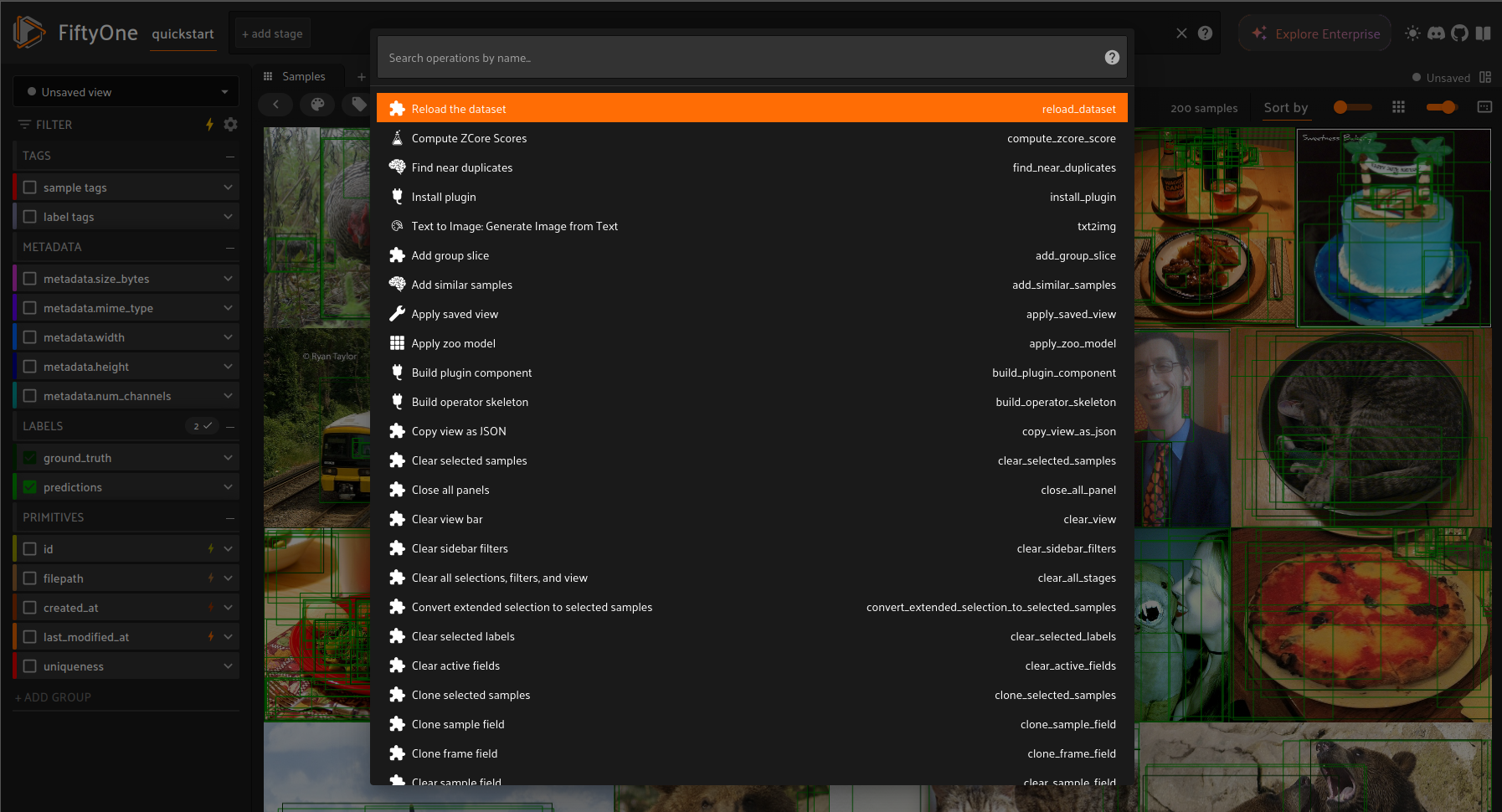
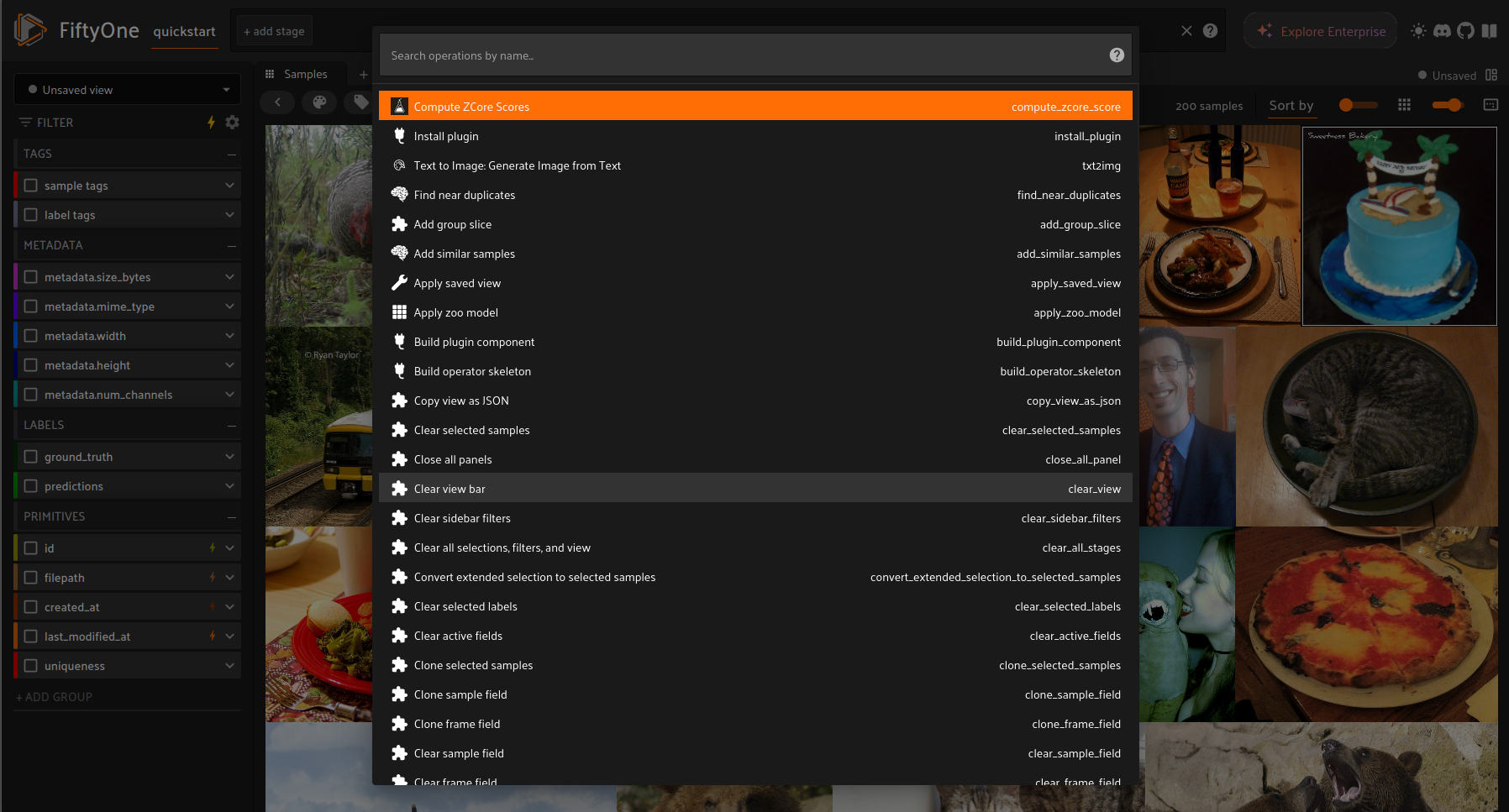 *Select zcore operator*
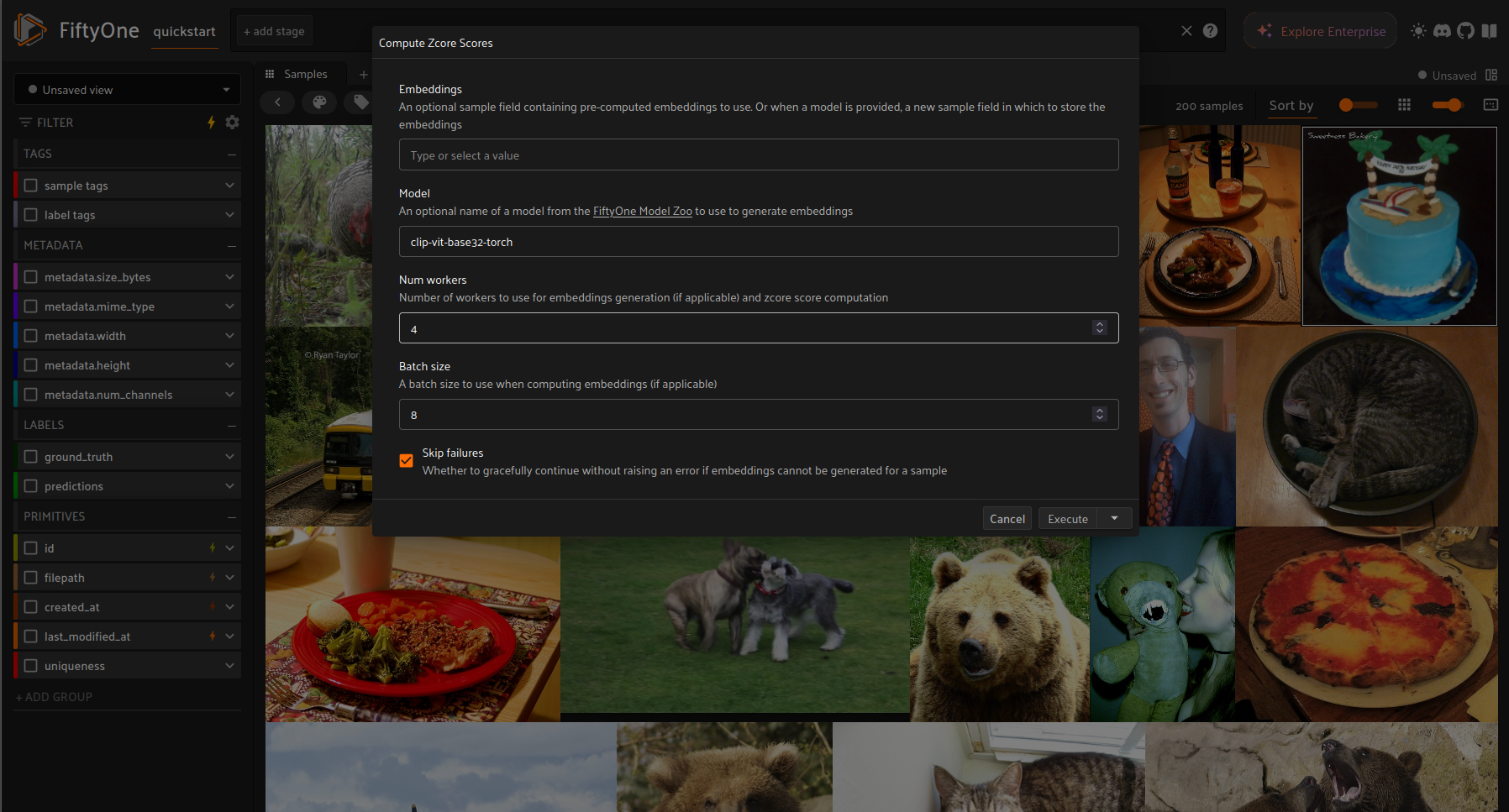 *Choose appropriate parameterization*
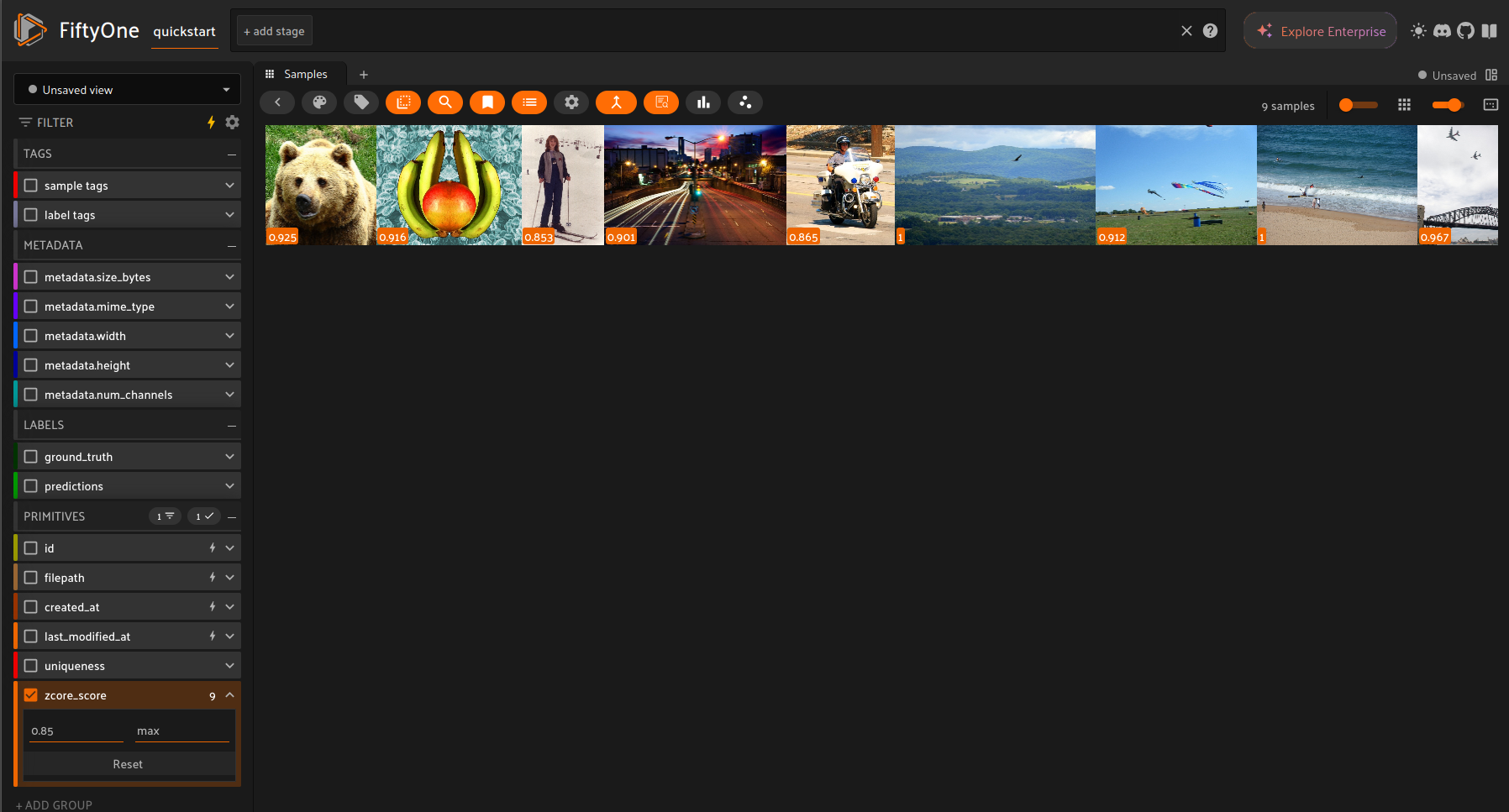 *Choose coreset based on score threshold*
If you want to make use of multiprocessing in the app, use delegated execution of the operator.
In order to enable delegated execution, run `fiftyone delegated launch` in a separate terminal.
Then, launch the app as above and choose “schedule” instead of “execute” when running the operator.
Make sure that you have set `export FIFTYONE_ALLOW_LEGACY_ORCHESTRATORS=true` in the terminal
where you launch the app.
See [the docs](https://docs.voxel51.com/plugins/using_plugins.html#delegated-operations) for more info.
*Choose coreset based on score threshold*
If you want to make use of multiprocessing in the app, use delegated execution of the operator.
In order to enable delegated execution, run `fiftyone delegated launch` in a separate terminal.
Then, launch the app as above and choose “schedule” instead of “execute” when running the operator.
Make sure that you have set `export FIFTYONE_ALLOW_LEGACY_ORCHESTRATORS=true` in the terminal
where you launch the app.
See [the docs](https://docs.voxel51.com/plugins/using_plugins.html#delegated-operations) for more info.
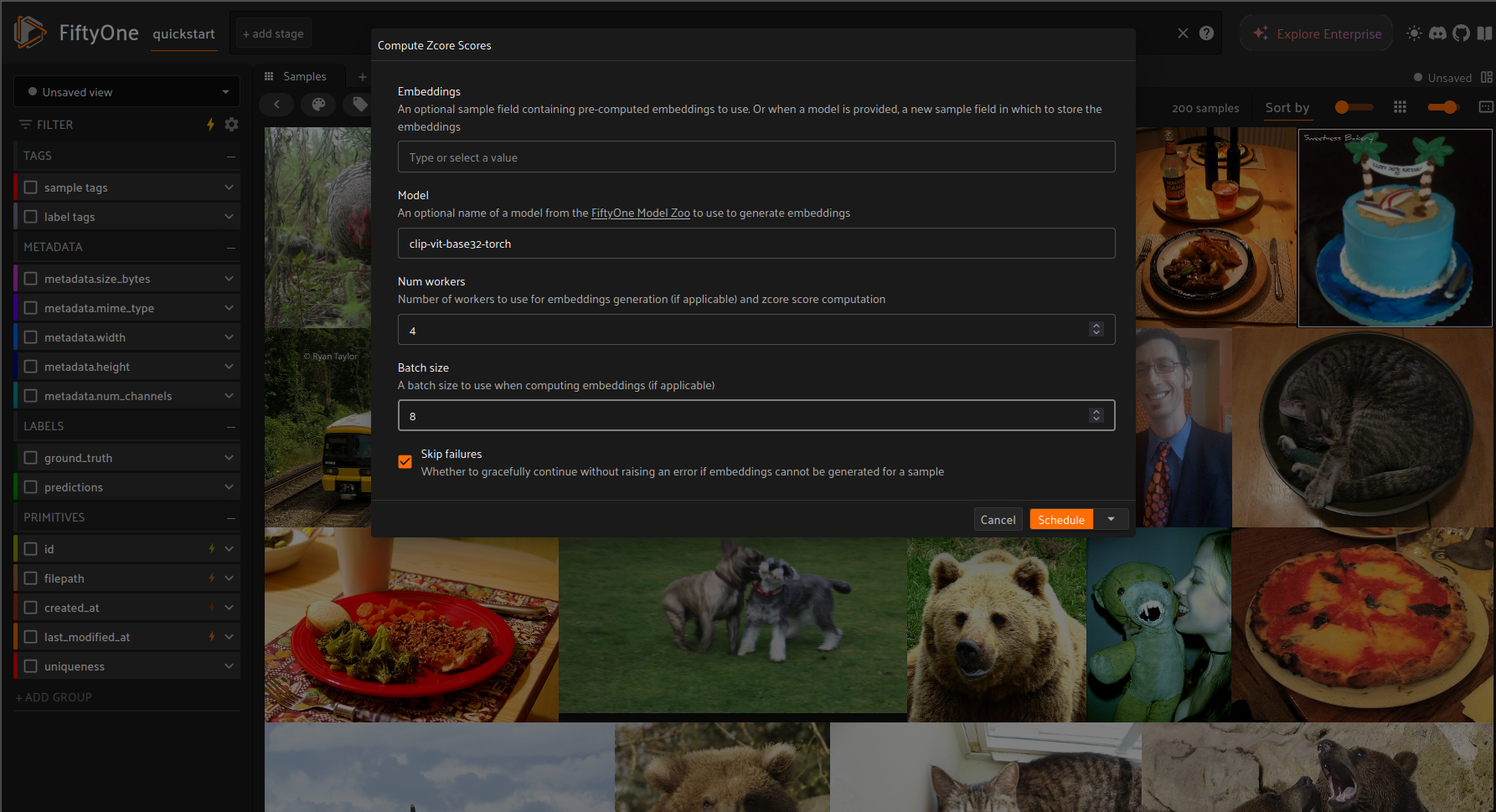 Then, monitor the local DO executor in the second terminal:
```bash
Running operation 68fa508ef152073068baa37a ()
...
Operator-specific logging
...
Operation 68fa508ef152073068baa37a complete
```
Then, reload the dataset in the app in order for the `zcore_score` sample field to get displayed.
Then, monitor the local DO executor in the second terminal:
```bash
Running operation 68fa508ef152073068baa37a ()
...
Operator-specific logging
...
Operation 68fa508ef152073068baa37a complete
```
Then, reload the dataset in the app in order for the `zcore_score` sample field to get displayed.
 ### Programmatically
```python
import fiftyone.zoo as foz
dataset = foz.load_zoo_dataset(
"quickstart", drop_existing_dataset=True, persistent=True
)
model = foz.load_zoo_model("clip-vit-base32-torch")
embeddings = dataset.compute_embeddings(model, batch_size=2)
# By default, use_multiprocessing is set to False
scores = zcore_scores(embeddings, use_multiprocessing=True, num_workers=4)
coreset = select_coreset(dataset, scores, coreset_size=10)
```
## Installation
```bash
# Install dependencies
pip install -r requirements.txt
# (Optional) Install pre-commit hooks
pip install pre-commit
pre-commit install
```
## TO DOs
- Add score computation on concatenated embedding vector from multiple foundation models
### Programmatically
```python
import fiftyone.zoo as foz
dataset = foz.load_zoo_dataset(
"quickstart", drop_existing_dataset=True, persistent=True
)
model = foz.load_zoo_model("clip-vit-base32-torch")
embeddings = dataset.compute_embeddings(model, batch_size=2)
# By default, use_multiprocessing is set to False
scores = zcore_scores(embeddings, use_multiprocessing=True, num_workers=4)
coreset = select_coreset(dataset, scores, coreset_size=10)
```
## Installation
```bash
# Install dependencies
pip install -r requirements.txt
# (Optional) Install pre-commit hooks
pip install pre-commit
pre-commit install
```
## TO DOs
- Add score computation on concatenated embedding vector from multiple foundation models