# Step 5: Finalize Your Auto Labeling Workflow
You’ve analyzed, approved, and tagged predictions. Now it’s time to finalize the workflow, integrating approved labels into your dataset while discarding problematic predictions.
## Pre-Finalization Checklist
Before finalizing, verify:
| Item | Status |
|----------------------------------------------------------------------------------|----------|
| Reviewed approval queue for correctness | ✅ |
| Tagged all problematic samples | ✅ |
| Spot-checked random approved samples | ✅ |
| Documented confidence thresholds used | ✅ |
| Noted any systematic model issues (or hypothesized issues) you may have observed | ✅ |
## Final Review of Approval Queue
Navigate back to the **Auto Labeling** panel, and then to the **Approval** tab. Before finalizing the approval, take one more opportunity to add any other labels you’d like to the approval queue.

After reviewing your labels ready for approval, click **Approve labels** at the bottom of the panel
You will be prompted once more with a note that approving these labels will delete all the other **yolow_detections-in-review** labels (i.e., the labels left unapproved). Click **Approve labels**

Once approved, the status of the panel changes to **Approved** status.
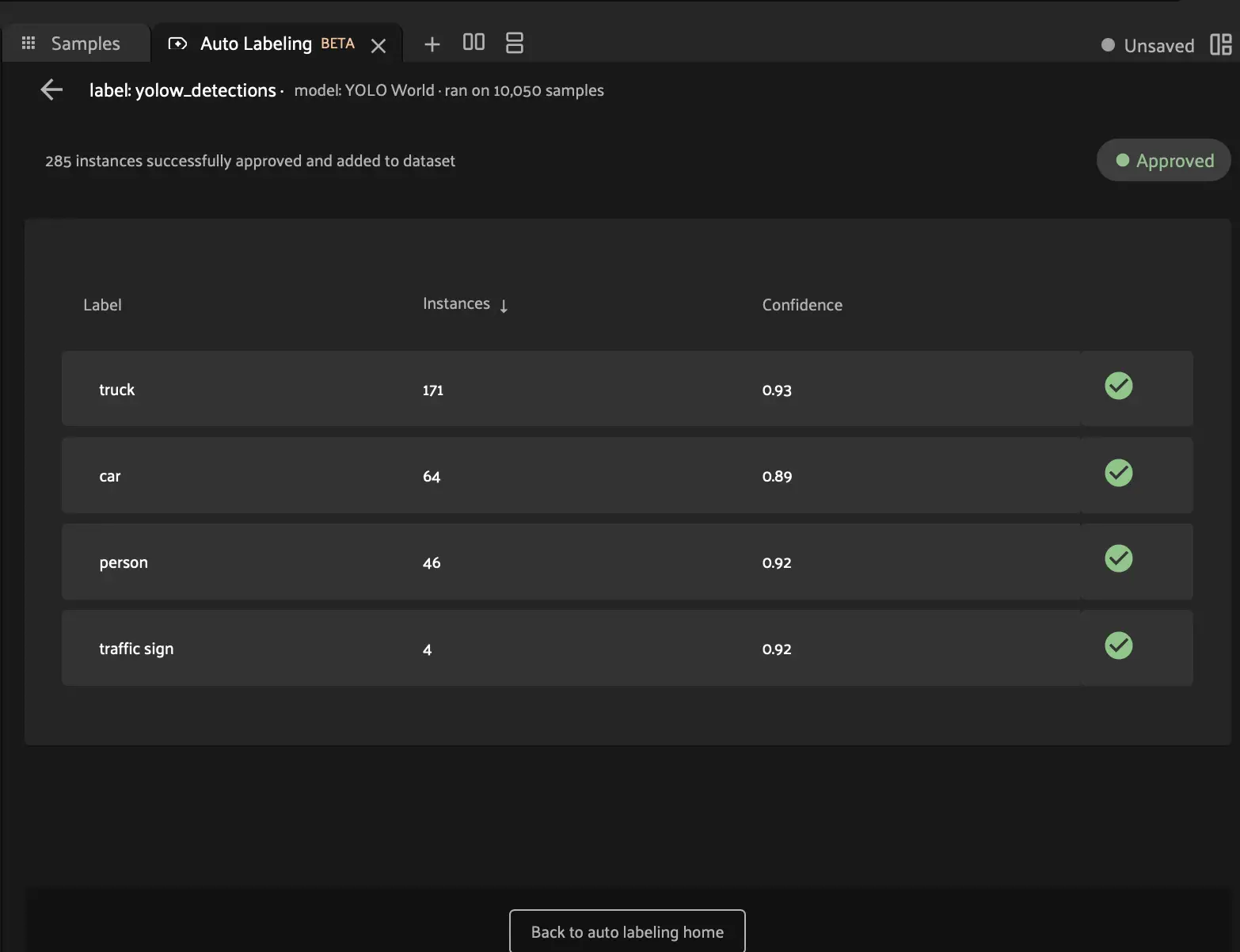
Now your approved **yolow_detections** labels have been added as a permanent field to your dataset, with corresponding class labels and confidence filtering. You can slice and filter this field just like any other.

## You Did It!
**Congratulations!**
You’ve completed your first Auto Labeling workflow, transforming raw predictions into high-quality, verified dataset labels.
**Next**: Review the [Guide Summary](summary.md#val-guide-summary) for key takeaways and next steps.
#### TIP
**Save this workflow!** The process you’ve learned is broadly applicable to any labeling task. With practice, you’ll develop intuition for confidence thresholds, model selection, and review strategies tailored to your specific use cases.